How to create a pedigree
Let's start by logging into your account, if you don't yet have an account you can sign up here. Once you get logged in, you should be taken to the "Account Details" page. You can verify that you're on the right page by looking at the page heading, it will say "Account Details", Welcome back ( Your Name ), What would you like to do today? From this page go ahead and select "Create Pedigree".
On the "Create Pedigree" page you'll see a bunch of boxes you can type in. You will always have to enter a registered name, a breed and a sex before you can start entering your pedigree. It's always a good idea to complete as much of this top section as possible. If you have a photograph of the dog, can also upload it from this page. Once you have the top section field out, you can start entering your pedigree in the pedigree section below.
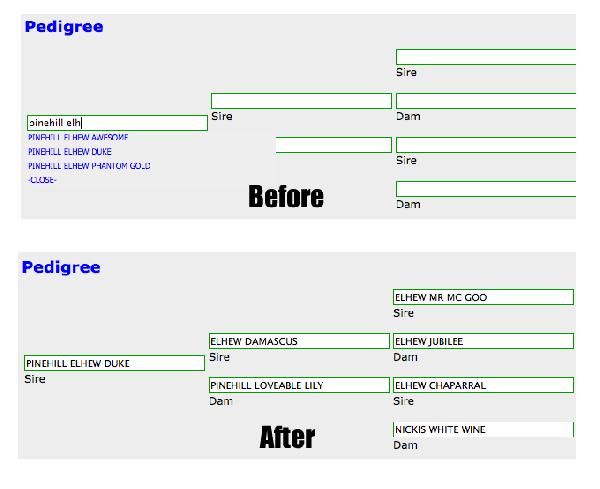
You'll notice as you start typing in names for your pedigree that you get a drop down menu with names matching what you've typed so far. If you select one of the names from the drop down list, the server will try to fill in what it knows about the dog you selected. If you don't see the dog in the drop down list, just keep typing in the name. Because of the way these pedigree's are linked together, you can't skip around entering dogs in third generation before the second generation. Every single dog that you enter on this pedigree page, becomes a separate dog that you update and maintain separately.
Let's say you have a dog called Scout and you enter Scout's pedigree into the system. Scout's mom, dad and grandparents all become individual dogs. If you wanted to take Scout's pedigree back farther then 3 generations, you would just need to update Scout's grandparents pedigree, you can do this from "My Pedigrees" or "Manage My Pedigrees". You can keep updating grandparents as much as you like, this allows you to take a pedigree as far back as you like. This also works in reverse, you can start with Scout's grandparents pedigree, then build new pedigree off of these, by choosing them from the auto complete drop down.
Want your classified ad to display a pedigree you entered into the system? There are several ways to do this. On the "Add Classified" page, you will see you have fields for Pedigree, Sire and Dam. The pedigree drop down holds all the pedigree's you've typed into the system, so if you've already entered your pedigree, just select it here and you're done. If you haven't entered the pedigree and would like to, just set the pedigree field to "Create a new pedigree". Once you've submitted your classified, you'll be taken to the screen to enter the pedigree. When you are entering names into the Sire and Dam field, you may see the auto complete drop down. If you see the name in the drop down list that you are trying to type, then selecting it will automatically display the pedigree for the selected dog in your classified, you don't have to do anything else.
Once you have your pedigree's entered into the system, it allows us to do some pretty cool things like search for siblings, descendents and prototype how different pedigrees might look on paper. Want to see what a litter of puppies pedigree might look like using your stud dog and different females? You can quickly do this on the prototype pedigree page.
Related Aritlces
How to Write Hunting Dog Ads That Actually Get Calls
A lot of folks think if they’ve got a good dog, it’ll sell no matter what.
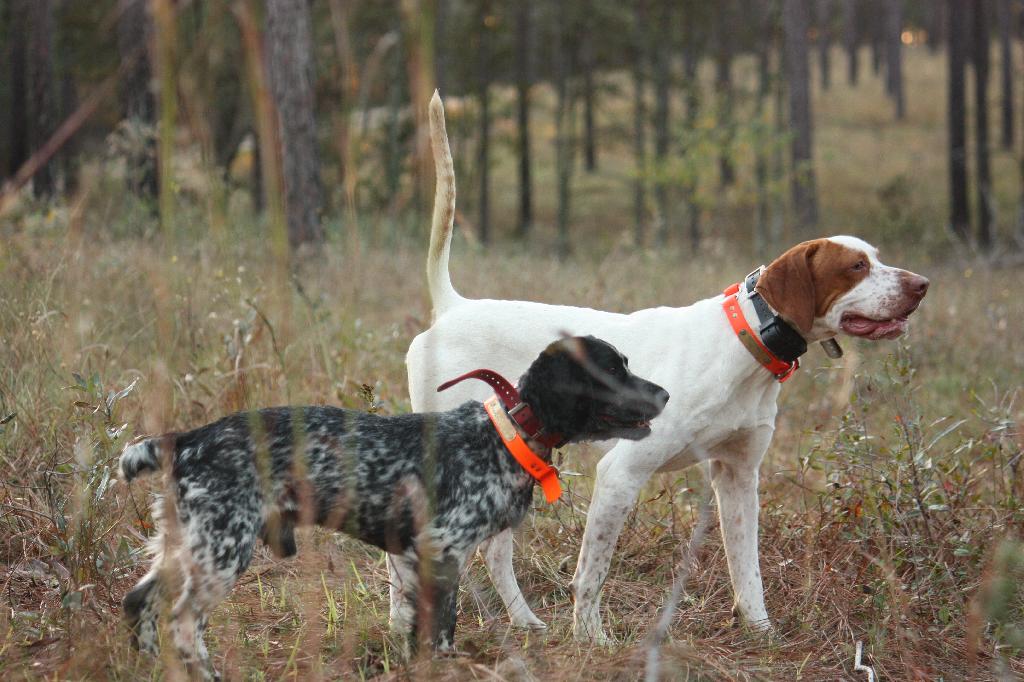
The Great Debate: Pointing or Flushing Dogs for Quail
My wife said I winced when we pulled up to the only game in town. It was an old motel of a vintage that reminded me of the Golden Era of travel by car. Over the years families probably over-nighted here while on their way to any one of a number of the nearby wild quail Valhallas. No visible capital improvements had been done for a long time, at least I couldn't see any renovation. The 30-some-odd rooms looked sad while the adjoining restaurant and tavern was booming.

Tall Timbers: Burning Down the House
I’ve heard of folks figuring out the price tag on costs to raise wild quail, but I don’t know of anyone who has kept track of the amount of time that goes into the breeding, training and developing of a championship gun dog. Both are significant. Take that dog number, multiply it by 55, and you’ll have one heck of a lot of hours all represented in the dogs that qualified to run across 28 braces in the February 2025 National Championship for Bird Dogs held at Ames Plantation. The first brace of this 126-year old Super Bowl caliber event commenced on February 10th . The final brace ran over two weeks later on February 27, and during that time weather conditions ranged from a soggy, below-freezing 22 degrees Fahrenheit day to a 75-degree Fahrenheit sweat lodge. If you don’t like the weather in Grand Junction then wait five minutes.